Install Xtreme HD IPTV on Any Device Today
Get 35,000+ live channels and 145,000+ on-demand titles streaming in 4K on every screen you own. Follow our step-by-step install guide and you will be watching in minutes.
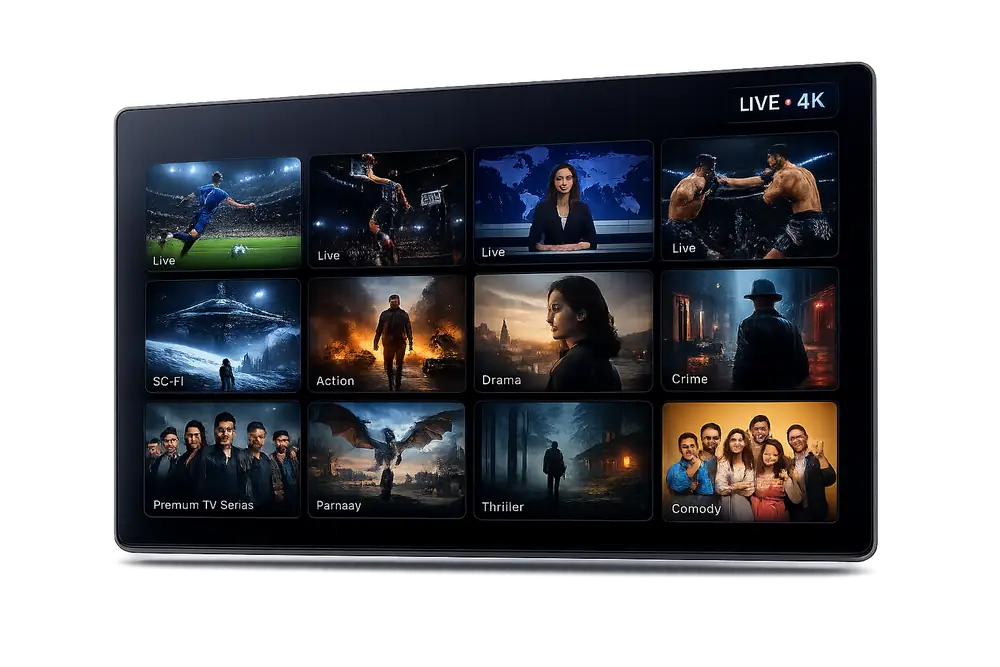
Xtreme HD IPTV Installs on Every Device You Own
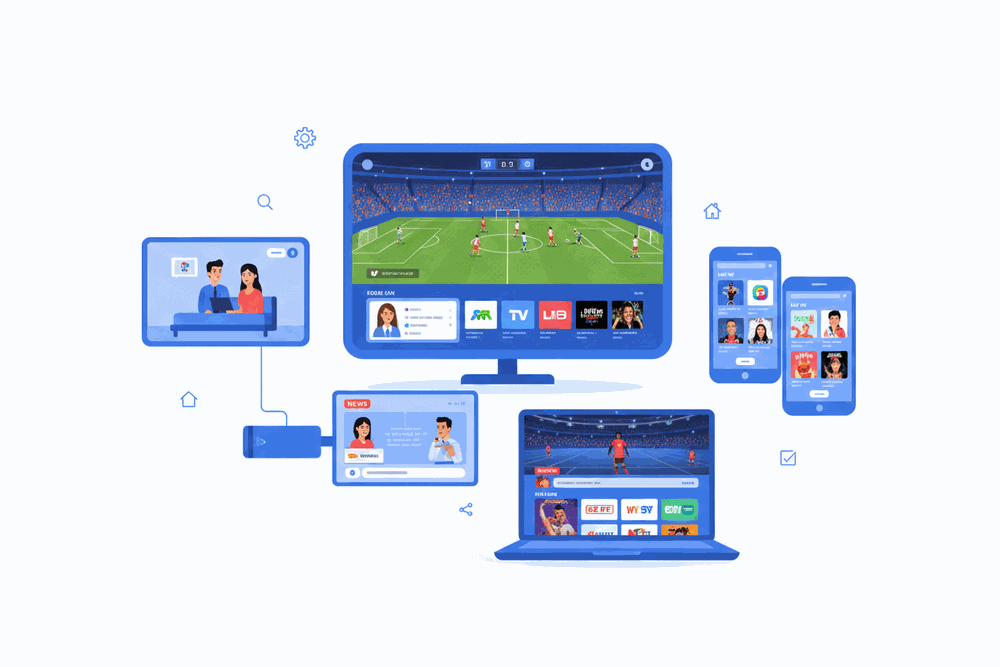
From Amazon Firestick and Android TV boxes to iPhones, Smart TVs, and desktop browsers — if it connects to the internet, Xtreme HD IPTV runs on it.













Three Steps to Start Streaming Xtreme HD IPTV
Choose a Plan and Activate Your Subscription
Select the Xtreme HD IPTV subscription that fits your household. After checkout your M3U playlist URL and Xtreme Codes credentials are emailed to you instantly so you can move straight to installation.
Download Your Preferred IPTV Player App
Install a compatible player on your device — IPTV Smarters Pro or TiviMate on Firestick and Android, GSE Smart IPTV on iOS and Apple TV, or Smart IPTV on Samsung and LG Smart TVs. All apps are free to download from their respective app stores.
Enter Your Credentials and Start Watching
Open the app, select the Xtreme Codes or M3U URL login option, paste in the server URL, username, and password from your welcome email, and tap connect. Your full channel list and VOD library load immediately.
Detailed Install Guides for Every Platform
Select your device below for a platform-specific walkthrough. Every guide is written and tested by the Xtreme HD IPTV support team.
Watch on your Smart TV in the living room, your phone on the train, and your laptop at work — all from a single subscription, perfectly in sync.
- No extra hardware required
- Simultaneous streams on multi-device plans
- Same 4K quality on every screen
Xtreme HD IPTV: Complete Installation Guide for USA Subscribers
What Is Xtreme HD IPTV and Why USA Viewers Choose It in 2026
Xtreme HD IPTV is a premium live television and on-demand streaming service engineered for viewers across the United States who want a reliable, high-definition alternative to traditional cable and satellite packages. With access to more than 35,000 live channels and a video-on-demand library exceeding 145,000 titles, the platform delivers one of the most comprehensive xtreme hd iptv channel lists available to American subscribers today. Every stream is optimized for consistent 4K and Full HD output, ensuring that picture quality remains sharp whether you are watching primetime network television or a live sporting event. The service operates on a robust server infrastructure that minimizes buffering, making it a top-rated choice among the best iptv usa 2026 options currently on the market.
Subscribers rated Xtreme HD IPTV 4.8 out of 5 across more than 8,000 verified reviews, a figure that reflects genuine satisfaction with both content depth and technical performance. American viewers gain instant access to top networks including ABC, NBC, CBS, Fox, ESPN, HBO, Showtime, and hundreds of regional and specialty channels without signing a long-term contract. The xtreme hd iptv subscription model is flexible, allowing households to select a plan duration that suits their viewing habits and budget.
- 35,000+ live channels covering US national, regional, and international networks
- 145,000+ on-demand movies and series
- 4K, Full HD, and HD stream quality tiers
- Rated 4.8 stars by 8,000+ verified US subscribers
- No long-term cable contract required
How to Install Xtreme HD IPTV on Amazon Firestick and Fire TV
Installing Xtreme HD IPTV on a Firestick is the most popular setup method among US subscribers because Amazon Fire TV devices are affordable, widely available, and plug directly into any HDTV. Begin by navigating to your Firestick home screen, selecting Settings, then My Fire TV, and enabling Apps from Unknown Sources. This single setting change unlocks the ability to sideload the Xtreme HD IPTV application without relying on the Amazon Appstore. Next, download the Downloader app from the Amazon Appstore, open it, and enter the official installation URL provided in your welcome email after purchase.
Once the APK file has downloaded, select Install, wait for the process to complete, and then open the application. Enter the M3U playlist URL or Xtream Codes login credentials included with your xtreme hd iptv subscription, select your preferred player, and your full channel lineup loads within seconds. The entire iptv firestick setup process typically takes under ten minutes for first-time users, and our 24-hour support team is available to walk you through each step if needed.
- Enable Apps from Unknown Sources in Firestick settings
- Install the Downloader app from the Amazon Appstore
- Enter the official APK download URL from your welcome email
- Input your M3U URL or Xtream Codes credentials
- Launch the app and access 35,000+ live channels instantly
Installing Xtreme HD IPTV on Android Smartphones, Tablets, and Android TV Boxes
Android users benefit from the most straightforward installation path available for iptv subscription usa services. On any Android smartphone or tablet running Android 5.0 or later, open the device Settings menu, tap Security or Privacy, and enable Install Unknown Apps for your chosen file manager or browser. Download the Xtreme HD IPTV APK directly from the link in your confirmation email, tap the downloaded file, and follow the on-screen prompts to complete installation in under two minutes.
Android TV boxes such as the NVIDIA Shield, Mecool, and Formuler devices run the same APK installation process but offer the added advantage of outputting directly to your television via HDMI in native 4K resolution. For users who prefer a dedicated IPTV player, the service is fully compatible with TiviMate, IPTV Smarters Pro, and GSE Smart IPTV, all of which support the Xtream Codes API that Xtreme HD IPTV provides with every active subscription. This flexibility means you can tailor your live tv streaming experience to match your preferred interface and feature set.
Setting Up Xtreme HD IPTV on Apple Devices Including iPhone, iPad, and Apple TV
iOS and Apple TV users can access Xtreme HD IPTV through compatible third-party IPTV player applications available on the Apple App Store. GSE Smart IPTV and IPTV Smarters are two well-established players that accept M3U playlists and Xtream Codes logins, both of which are provided automatically when you activate your xtreme hd iptv subscription. Download your preferred player from the App Store, open it, navigate to the playlist or provider settings, and enter the credentials from your welcome email to load the full 35,000-channel lineup.
Apple TV 4K users will find that the same player apps deliver a polished living-room experience with remote control navigation, EPG electronic program guide support, and catch-up TV functionality on supported channels. Because the Apple ecosystem enforces strict app policies, always source your IPTV player from the official App Store and use only the login credentials supplied by Xtreme HD IPTV to protect your account security. The platform is optimized for Apple hardware, so 4K HDR streams on Apple TV 4K perform without compromise.
- Download GSE Smart IPTV or IPTV Smarters from the Apple App Store
- Open the app and select Add Playlist or Add Provider
- Enter the M3U URL or Xtream Codes credentials from your welcome email
- Enable EPG for the full electronic program guide
- Stream on iPhone, iPad, or Apple TV 4K in full HD or 4K
Compatible Smart TV Brands: Samsung, LG, Sony, and Beyond
Smart TV owners running Tizen, webOS, or Android TV operating systems can install Xtreme HD IPTV without needing a separate streaming stick or set-top box. Samsung Smart TVs support installation through the Tizen developer mode or via screen mirroring from an Android device, while LG Smart TVs running webOS accept compatible IPTV player applications available through the LG Content Store or via direct APK sideloading on supported firmware versions. Sony and Philips televisions built on Android TV follow the same installation steps outlined in the Android section above, making the process consistent across manufacturers.
For Samsung and LG models where direct app installation is restricted, the simplest workaround is pairing the television with a Chromecast device, which allows you to cast the live tv streaming feed from your smartphone or tablet directly to the big screen. Regardless of the method used, Xtreme HD IPTV streams adapt automatically to the output resolution of your display, delivering the highest quality picture the hardware supports. Customer support agents with specific experience across all major smart TV brands are available around the clock to assist with any model-specific configuration questions.
Understanding Your Xtreme HD IPTV Subscription: Pricing, Trials, and Plans
The xtreme hd iptv price structure is designed to reward commitment without locking subscribers into contracts they cannot exit. Monthly, quarterly, semi-annual, and annual plans are available, with longer terms offering the strongest value per month. Every plan tier unlocks the complete 35,000-channel lineup, the full 145,000-title VOD library, and support for simultaneous connections depending on the plan selected. There are no hidden activation fees, no equipment rental charges, and no surprise billing adjustments mid-term.
An iptv free trial option allows prospective subscribers to evaluate stream quality, channel availability, and app compatibility before committing to a paid xtreme hd iptv subscription. Trial access provides a representative sample of the live channel and VOD catalog so that viewers in the USA can confirm the service performs as expected on their specific devices and internet connection. A standard broadband connection of 25 Mbps is sufficient for HD playback, while 4K streams perform optimally at 50 Mbps or above. Contact the support team via live chat or WhatsApp to request trial credentials before purchase.
- Monthly, quarterly, semi-annual, and annual subscription plans available
- Full 35,000-channel and 145,000-VOD access on every plan tier
- Multi-connection plans for households with multiple simultaneous viewers
- No contracts, no equipment fees, no hidden charges
- Free trial available — contact support to request access
Xtreme HD IPTV Sports Channels and Live Event Coverage for US Viewers
Sports coverage is one of the defining strengths of the Xtreme HD IPTV channel list for American subscribers. The platform carries all major iptv sports channels including ESPN, ESPN2, FS1, FS2, NFL Network, NBA TV, MLB Network, NHL Network, Golf Channel, and BeIN Sports, ensuring that fans of every major North American league have a reliable live stream for every game. Pay-per-view events from UFC, WWE, and boxing promotions are also available within the channel lineup, eliminating the need for separate one-off purchases.
International sports coverage is equally thorough, with dedicated channels for the English Premier League, UEFA Champions League, Formula 1, cricket, rugby, and tennis Grand Slams accessible through the same subscription. The EPG electronic program guide displays scheduled kick-off times, broadcast windows, and catch-up availability so that viewers never miss a match due to scheduling confusion. For households that follow multiple sports simultaneously, multi-connection plans allow different family members to watch separate live events on separate devices at the same time without any degradation in stream quality.
Xtreme HD IPTV Review Summary: What US Subscribers Say About the Service
Across more than 8,000 published xtreme hd iptv review entries, recurring themes include exceptional channel count, consistent stream reliability, and responsive customer support. Subscribers in major metropolitan areas such as New York, Los Angeles, Chicago, Houston, and Miami consistently report that 4K streams load within seconds and sustain playback without interruption during peak evening hours, a benchmark that many competing iptv subscription usa providers fail to meet. The channel organization within the EPG is frequently praised for its logical categorization, making it easy to locate niche networks alongside flagship national broadcasters.
Critical feedback, where it appears, typically relates to the initial installation process on less common device models, a challenge that the support team addresses directly through step-by-step guided sessions available via live chat. The overall 4.8-star rating positions Xtreme HD IPTV firmly among the best iptv usa 2026 contenders, and the volume of repeat subscription renewals reflects genuine long-term satisfaction rather than one-time trial activity. Prospective subscribers are encouraged to read verified reviews on independent forums and communities before making a purchasing decision, as the service's reputation is built on transparent, real-world performance data.
- 4.8-star average across 8,000+ verified subscriber reviews
- Praised for 4K stream reliability during peak hours
- Positive feedback from subscribers in New York, LA, Chicago, Houston, and Miami
- 24-hour live chat support resolves installation issues on any device
- High renewal rate reflects long-term subscriber satisfaction
Xtreme HD IPTV Installation: Frequently Asked Questions
How do I install Xtreme HD IPTV on a Firestick or Fire TV?
Enable 'Apps from Unknown Sources' in your Firestick settings, then use the Downloader app to sideload your preferred IPTV player such as TiviMate or IPTV Smarters Pro. Once the player is installed, enter the M3U playlist URL or Xtream Codes credentials provided in your Xtreme HD IPTV welcome email. Your full lineup of 35,000+ live channels loads within seconds.
Which IPTV player app works best with Xtreme HD IPTV?
TiviMate is the most popular choice for Firestick and Android TV devices because of its clean EPG guide, multi-stream layout, and 4K support. IPTV Smarters Pro and GSE Smart IPTV are strong alternatives for iOS, Android phones, and tablets. All three connect to your Xtreme HD IPTV subscription using either an M3U URL or Xtream Codes login — both are included in your account details.
Can I install Xtreme HD IPTV on a Smart TV?
Yes. Samsung and LG smart TVs support IPTV players available through their respective app stores. For Samsung Tizen TVs, use an app such as SS IPTV. LG webOS TVs work well with TiviMate via a connected Android TV stick or directly through compatible apps. Sony and Hisense Android TVs install TiviMate or IPTV Smarters Pro from the Google Play Store with no sideloading required.
How long does setup take after I subscribe?
Most subscribers are watching live TV within 10 to 15 minutes of subscribing. Your account credentials are delivered by email immediately after payment. Loading your M3U URL or Xtream Codes into your chosen IPTV player takes under five minutes, and the full channel list — including NBC, CBS, ESPN, Fox Sports, and HBO — populates automatically.
Do I need a VPN to use Xtreme HD IPTV in the USA?
A VPN is not required to stream with Xtreme HD IPTV. The service runs reliably on standard US broadband connections. Some subscribers choose to use a VPN for added privacy, which is fully compatible. For best streaming performance we recommend a wired or strong Wi-Fi connection with at least 25 Mbps download speed for HD streams and 50 Mbps for 4K content.
What do I do if channels are not loading after installation?
First, confirm your subscription is active by logging into your account portal. Then verify that your M3U URL or Xtream Codes credentials were copied exactly as provided — no extra spaces or characters. Restart your device and relaunch the IPTV player. If the issue continues, contact Xtreme HD IPTV support via live chat or WhatsApp. Our team responds around the clock and typically resolves setup issues within minutes.
Get Xtreme HD IPTV Running on Every Screen Today
Join more than 8,000 subscribers across the USA who rely on Xtreme HD IPTV for 35,000+ live channels and 145,000+ on-demand titles. Setup takes under 15 minutes and works on Firestick, Android TV, smart TVs, phones, and more.